Guide · Print & production
Panaflex Design Guide: Sizes, Resolution, Flex Types and Type Size for Pakistani Printers
 By Kashif RehmanPublished 17 September 2026Updated 17 September 20269 min read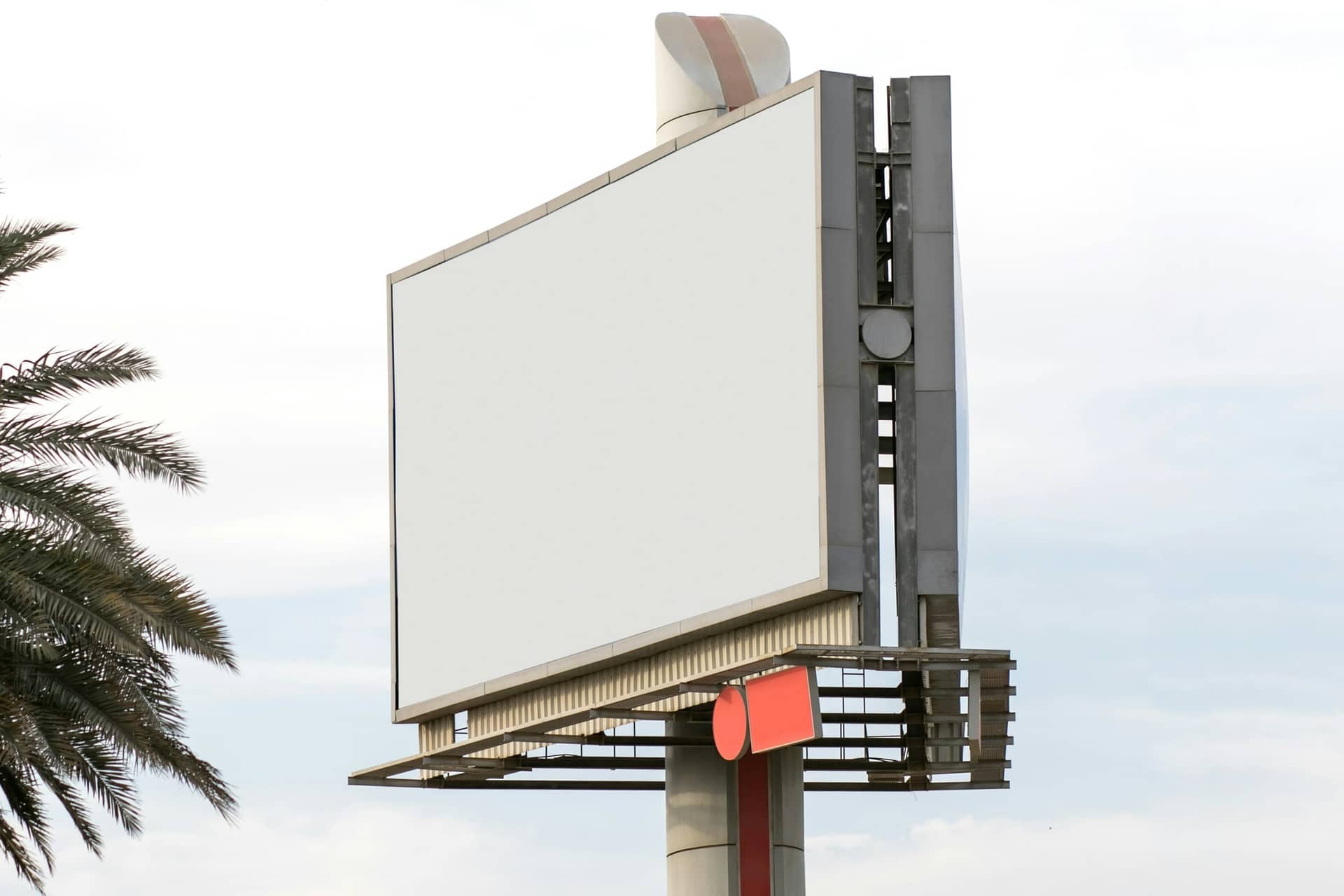
Short answer
Design panaflex at its real size in feet, set resolution by viewing distance (around 30 ppi for 10 feet, much less for hoardings), keep text at least 1 inch tall per 10 feet of distance, and choose star flex for anything that stays up for months. Confirm material, eyelets and colour expectations with the printer before you export.
Panaflex is the workhorse of Pakistani print. Shop boards, election banners, school admission hoardings, wedding hall entrances and expo backdrops are all printed on it. Most of the problems I see come from treating a panaflex like a big poster: the file is too heavy to open, the type is too small to read from the road, or the red on screen turns orange on the flex. This guide covers what I check before a panaflex file leaves the studio.
What sizes do Pakistani printers work in?
Local shops quote and cut in feet. A client will say "10 by 4" and mean 10 feet wide by 4 feet high, so always confirm which number is the width. The printers themselves run on rolls, typically 3.2 m (about 10.5 ft) wide on the bigger solvent machines. Anything taller than the roll in both directions gets printed in panels and joined, and that joint line should never cut through a face or a headline.
Common panaflex sizes and where they go
| Size (W x H, ft) | Typical use | Notes |
|---|---|---|
| 3 x 2 | Counter banner, small notice | Close reading, treat like a large poster |
| 6 x 3 | Streamer, gate banner, event directions | The most common event size |
| 8 x 4 | Shop front, school gate | Fits a standard sheet frame |
| 10 x 4 or 12 x 4 | Shop board over a shutter | Measure the actual wall, shutters vary |
| 12 x 8 | Stage backdrop, sponsors wall | Often printed in two panels |
| 20 x 10 | Roadside board, rooftop | Plan the panel joint in the design |
| 40 x 20 and up | Hoarding | Printer often supplies the exact template |
| 2.75 x 6.5 (approx.) | Roll-up standee | Check the stand model, sizes differ by supplier |
Before I start a shop board, I ask the client to measure the frame or wall with a tape and send a photo with the tape visible. A board designed at 12 x 4 that has to fit a 11.5 x 3.75 frame gets trimmed on site, usually by someone cutting off the phone number.
What resolution does a panaflex actually need?
This is where most files go wrong in both directions. Some are sent at 300 ppi at 20 feet wide, which is a file nobody's computer can open. Others are a WhatsApp image stretched to fill a hoarding.
The human eye can separate detail down to roughly one arc-minute. In practical terms, the resolution you need at full print size is about 3,400 divided by the viewing distance in inches. That gives these working numbers:
Resolution at full size by viewing distance
| Viewing distance | Approx. ppi needed | Example |
|---|---|---|
| 3 ft | 95–100 | Counter banner, standee read up close |
| 10 ft | 30 | Stage backdrop, sponsors wall |
| 20 ft | 15 | Shop board across a narrow bazaar |
| 50 ft | 6–8 | Roadside board |
| 100 ft and more | 3–5 | Rooftop hoarding |
I usually build a little above these numbers to leave room for someone who walks closer, but I never go near 300 ppi for flex. The solvent printer itself works at a few hundred dpi, and flex texture hides fine detail anyway.
There is also a hard file limit. Photoshop's standard PSD format tops out at 30,000 pixels on a side, and many shop computers struggle well before that. A 20 x 10 ft board at 30 ppi is 7,200 x 3,600 px, which is comfortable. The same board at 150 ppi would be 36,000 px wide and would not save as a normal PSD at all.
Front-lit or back-lit flex?
The two look similar on the roll and behave very differently on the wall.
Front-lit flex is opaque. Light falls on it from the sun or from lamps mounted above the board, like the billboard at the top of this page. It is the default for banners, backdrops and most shop boards.
Back-lit flex is translucent and sits inside a light box with tube lights or LED strips behind it. The printer lays down more ink so the colours do not wash out when lit from behind. In daylight a back-lit print can look slightly flat; at night it glows. If a shop is open after Maghrib, a back-lit sign is usually worth it.
There is also blockout flex, which has a dark core so a double-sided hanging banner does not show the other side through it, and mesh flex, which lets wind through and suits large boards on exposed rooftops. Not every local shop stocks these, so ask.
Star flex or china flex?
In local markets, "star flex" and "china flex" are trade names, and different shops use them slightly differently. The general pattern holds:
- Star flex is heavier and smoother, takes ink more evenly and resists tearing at the eyelets. Colours stay stronger for longer in sun.
- China flex is thinner and cheaper. It is fine for a banner used for one event or a few weeks, and it fades and cracks faster outdoors.
Event pieces like the SEE Oghi 2024 backdrop, sponsors wall and standees only have to last a single day indoors, so cheaper flex is a reasonable call there. A shop board facing the Oghi road through a summer is a different job, and I would push the client towards the better flex.

How big should the text be?
The sign industry rule of thumb is at least 1 inch of letter height for every 10 feet of viewing distance to be legible, and three to four times that for a headline you want read at a glance. Someone driving past a board has two or three seconds.
Minimum capital letter height
| Viewing distance | Legible minimum | Headline |
|---|---|---|
| 10 ft | 1 in | 3–4 in |
| 30 ft | 3 in | 9–12 in |
| 50 ft | 5 in | 15–20 in |
| 100 ft | 10 in | 30–40 in |
A few rules I follow on every board:
- One headline, one supporting line, one contact detail. A shop board with twelve services listed gets read as noise.
- Phone numbers get more size than people expect, because that is often the only thing a passer-by needs.
- Urdu needs more size than English at the same distance. Nastaliq dots and small loops fill in on flex, so I add roughly a quarter to the height and avoid very thin Urdu fonts.
- Keep strong contrast. Yellow on white and dark blue on black both disappear at distance.
- Keep important text at least 3–4 inches inside the edge on smaller banners, and more on large boards, so eyelets, frames and the hem do not eat it.
Why do colours change on panaflex?
Every panaflex file should be built in CMYK, and even then, expect drift. Solvent inks on flex behave differently from offset on paper and very differently from a phone screen. What I see most often:
- Bright screen reds print slightly orange.
- Some blues lean purple, especially the RGB blues people pick from social media templates.
- Large dark areas can look muddy or show banding.
- Skin tones in photos go warmer.
- Back-lit prints look different at night than in the shop.
Different shops also calibrate differently, so the same file can look different from two printers in the same bazaar. For large or repeat jobs, I ask for a small test strip of the key colours and the logo before the full run. For the SEE Oghi logo's blue and green, a strip is cheap insurance.
Eyelets, pole pockets and finishing
Finishing is decided before the file is made, because it affects the margins.
- Eyelets (the metal rings) go around the edge, commonly every 1.5 to 2 feet and always at the corners. Keep text and logos away from that strip.
- Pole pockets are folded and stitched or heat-welded hems at the top and bottom for a wooden or steel pipe. They take up a few inches, so add that to the height or keep the design clear of it.
- Hemming folds the edges to stop tearing on larger banners.
- Frame fitting stretches the flex over an iron frame. The flex wraps around the frame edge, so the outer few inches will not be seen from the front.
- Pasting on sheet for small boards and standees gives a flat finish that lasts well indoors.

What should the final panaflex file look like?
Checklist
Before the panaflex file goes to the printer
- Size confirmed in feet, width first, measured on site
- Material agreed: star or china flex, front-lit or back-lit
- Finishing agreed: eyelets, pole pockets, frame or pasting
- Document in CMYK, with rich black only on large dark areas
- Photos meet the ppi for the viewing distance, not 300 ppi
- Text and logos kept vector, fonts converted to curves, Urdu especially
- Headline and phone number sized for the real viewing distance
- Safe margin kept clear of eyelets, hems and frame wrap
- Panel joints planned away from faces and text on large boards
- Exported in the format the printer asked for (often CDR, PDF or a flattened JPG or TIFF)
- File sent through USB, Google Drive or as a WhatsApp document, never as a compressed WhatsApp photo
- Written quote received, including printing, fitting and transport
For the general file rules that apply to every print job, including bleed, font outlining and PDF/X, read the print-ready file checklist in this series. Panaflex follows the same basics at a much larger scale, and once you think in feet and viewing distance it becomes one of the most forgiving formats to design for.
FAQ
Questions people ask.
What resolution should a panaflex file be?
It depends on how far away people stand. A banner read from about 10 feet needs roughly 30 ppi at full size, a shop board read from across the road can go to 15–20 ppi, and a roadside hoarding seen from 50 feet or more looks fine at 10 ppi or less. Ask your printer what they prefer before you export.
Is star flex better than china flex?
Star flex is usually the heavier, better-finished material. It holds ink more evenly, tears less at the eyelets and lasts longer in sun and rain. China flex is thinner and cheaper, which suits a banner used for one event. For a shop board meant to stay up for a year or more, pay the difference.
How big should text be on a panaflex?
A working rule is at least 1 inch of capital letter height for every 10 feet of viewing distance, and closer to 3–4 inches per 10 feet for the main headline. Urdu needs a little more size than English because of its dots and tighter counters. Print a strip at 100 percent and step back to check.
How much does panaflex printing cost in Pakistan?
Prices move with the material, the printer and the city. Local shops in Islamabad and Rawalpindi commonly quote around Rs 25–60 per sq ft for printed panaflex in 2026, with star flex and back-lit media at the higher end. Framing, fitting and transport are usually extra. Always get a written quote first.
From reading to doing
Want Kashif to handle this for you?